Intercom System Maintenance: Best Practice
Dec 31, 2025

Dec 31, 2025
Intercom systems play a vital role in modern building communication and access control. Whether installed in a multi-unit residential building, office complex, or commercial facility, these systems must function reliably to ensure security, convenience, and smooth operation. However, unlike any other technology, intercoms require regular maintenance to perform their best.
Neglecting routine intercom maintenance can lead to audio distortion, connection failures, lagging video feeds, and even full system outages. Maintenance isn’t just about extending hardware life, it’s essential for safety, user satisfaction, and operational continuity. This guide outlines proven best practices for maintaining intercom systems, from regular cleaning and software updates to choosing the right service provider for inspections and repairs. With Smartum, property managers gain access to expert support and proactive service plans that keep intercom systems performing at their best.
Unmaintained systems can develop audio static, background noise, or dropped signals, all of which hinder effective communication between residents, staff, and visitors. For facilities relying on real-time updates or emergency communications, any disruption in clarity can result in serious consequences. Ensuring crisp audio and video transmission not only enhances daily use but also ensures confidence during emergencies.
Routine checks help catch hardware degradation, wiring issues, or environmental wear before they cause critical system outages. Intercom systems installed in high-traffic or exposed environments are more susceptible to physical stress, and consistent inspections ensure that these factors don’t result in an untimely breakdown.
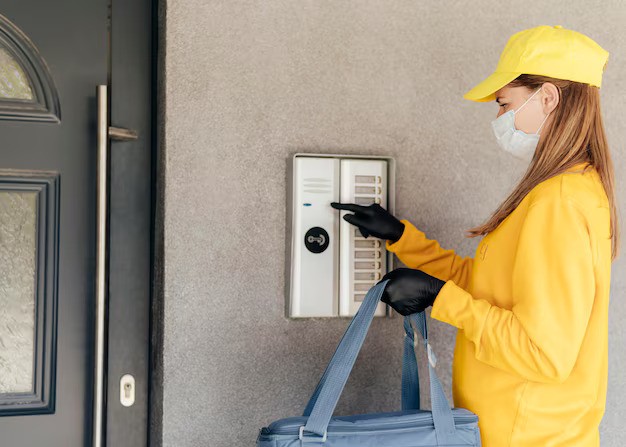
Intercoms often work in tandem with access control systems. When visitors buzz for entry, residents or staff rely on intercom confirmation before access is granted. A malfunctioning intercom can allow unauthorized access, delay emergency responses, or prevent legitimate entries from being verified.
Like HVAC or fire systems, regular upkeep extends the life of intercom hardware, reducing the need for expensive replacements. Investing preventive maintenance pays off by avoiding premature component failure, reducing support costs, and ensuring uninterrupted performance across the system’s lifespan.
Look for visible signs of damage or tampering on intercom panels, cabling, mounts, and nearby surfaces. Environmental factors like rain, UV exposure, or snow may deteriorate outdoor units. Protective casings should be inspected for cracks or warping.
An intercom system should always display clear power indicators and respond to activation. For IP-based units, test WiFi or Ethernet connectivity. Battery-powered or backup units must be tested to ensure readiness during outages.
Interface response should be fluid and intuitive. Glitches, screen freezing, or keypad failure can make systems frustrating and ineffective. This can reflect poorly on property management and inconvenience of residents or users.
Noise distortion, audio lag, or poor camera resolution are all red flags. Conduct short two-way communications and video tests from both inside and outside stations. Ensure night vision functions (if available) work properly.
Debris and smudges on intercom devices can obscure camera views, reduce visibility of buttons, or interfere with touchscreen sensitivity. Clean all exterior surfaces using microfiber cloths and screen-safe cleaners. Avoid water intrusion into ports or speakers.
Smart intercom systems often offer mobile app controls for unlocking doors or viewing video feeds. Monthly checks of these cloud or app-based features ensure that software and hardware are synced properly.
Vendors periodically release firmware and software patches to fix bugs, improve speed, and address security vulnerabilities. Update regularly through admin dashboards or system portals. Always back up settings before upgrades.
Verify that the intercom still integrates correctly with access control systems, video surveillance feeds, and any alarm or emergency notification tools. Loss of synchronization may indicate system drift or incompatibility after software changes.
Many modern intercom platforms include diagnostic tools to test functions such as network latency, response time, and input/output device performance. Use diagnostic reports to identify deteriorating hardware before issues arise.
Examine all cabling, connectors, surge protectors, and junction boxes for signs of overheating, corrosion, or strain. Ensure all power supplies are functioning, and that uninterruptible power systems (UPS) are tested and charged.
Usage logs reveal the frequency of use, failures, and performance of anomalies. Logs can help anticipate component failure and inform staffing for maintenance or upgrades.
If the intercom system relies on business WiFi or a shared network, periodic analysis ensures that the bandwidth is sufficient to handle video and audio without buffering. Increased network traffic over time may warrant infrastructure upgrades.
A comprehensive audit includes assessing physical condition, system configuration, firmware health, and network integrity. A technician can identify vulnerabilities that internal inspections may overlook.
Annual calibration ensures that microphones are picking up adequate sound; cameras have corrected angles, and speaker systems broadcast at optimal volume. Visual and audio alignment improve system efficiency.
Professional service providers often receive early access to firmware enhancements or have internal tools to update systems more securely and thoroughly than consumer-level interfaces.
Buildings in regulated sectors or jurisdictions often need communication systems to meet updated safety and accessibility codes. A professional inspection guarantees alignment with legal and insurance requirements.
Often caused by clogged speaker grilles, software errors, or damaged microphones. Begin by cleaning the unit and adjusting volume levels. If the issue persists, conduct a soft reset or test alternate network settings.
Touchscreens may freeze due to firmware errors or voltage inconsistencies. Keypads may fail due to worn buttons or wiring disconnections. Reboot the unit and test the input panels. If issues remain, schedule diagnostics.
This usually points to network bottlenecks, low bandwidth, or overloaded routers. Test internet speed and router load. Reassign video streams to isolated networks if congestion persists.
Authentication problems, expired certificates, or server downtime are common culprits. Ensure apps are updated, verify WiFi or LTE signal strength, and consult logs for server errors.
Design a visual maintenance calendar broken down by task frequency. Assign responsible personnel or service contracts for execution. Ensure major inspections coincide with system downtime or building quiet hours.
Every service no matter how small—should be documented. This includes cleaning, resets, updates, or professional visits. Logs help track wear patterns and strengthen accountability for system upkeep.
Basic resets, diagnostics, and visual inspections can be taught to on-site staff. Training enables fast response during outages and reduces dependence on external support for minor fixes.
Maintenance is more cost-effective than emergency replacements. Budget annually for battery swaps, firmware licenses, cable refreshes, or component upgrades to stay ahead of failures.
Maintaining an intercom system is more than just wiping off a screen or resetting a unit it’s about ensuring reliability, security, and user trust. Regular inspections, software updates, and timely repairs prevent major disruptions and extend the system’s life span.
Intercom systems are critical links in building communication and access management. Following structured access maintenance best practices support safety, improve user satisfaction, and protect the investment in modern building infrastructure. For long-term performance and compliance, schedule routine evaluations and engage with a qualified provider when necessary.
Ideally once a year, with quarterly self-checks and software updates in between.
Yes. Dust and debris often block microphones or speakers, causing audio distortion.
Static, poor video quality, delayed responses, or unresponsive buttons are common warning signs.
They fix bugs, enhance performance, improve security, and sometimes introduce new features.
Yes. Even wireless systems require software updates, battery checks, and network diagnostics.
© Smartum. All Rights Reserved.


